
 VENOUX / WINDOWS
The World's Best
Windows Optimization.
Check your system, choose your settings, and clear the clutter. Venoux brings your Windows tools into one place.
ENGINEERING PHILOSOPHY
Researched and engineered for proven performance and uncompromised safety.
Rigorously Tested & Verified
Tested extensively across diverse hardware setups and real-world workloads to ensure rock-solid stability.
Grounded in Official Specs
No unverified registry hacks or dangerous tweaks. Derived strictly from Microsoft technical documentation.
Full Transparency & Control
Every single modification is transparently documented so you retain complete control over your PC.
“True optimization never compromises system longevity for speed. It cleanly removes background clutter to restore true performance.”
Venoux was conceived from the need for an optimizer that preserves system integrity without trade-offs. Many conventional tools rely on risky tweaks causing instability, while locking basic features behind steep subscription models.
Venoux is not a hasty assemblage of unverified registry scripts. By thoroughly analyzing official Windows specifications and conducting rigorous benchmarks, it incorporates only safe settings that measurably reduce latency and improve frame rates.
Every toggle clearly displays its technical function and impact. Casual users enjoy simple one-click maintenance, while power users have granular control to tailor settings precisely.
EMPIRICAL BENCHMARKS
Proven by Measured Data
Real-world frame rates and accurate comparisons against commercial optimizers measured on identical test rigs.

Minecraft
Average FPS
Valorant
Average FPS
Overwatch
Average FPSEVERYDAY PC CARE
See the details. Make the changes.
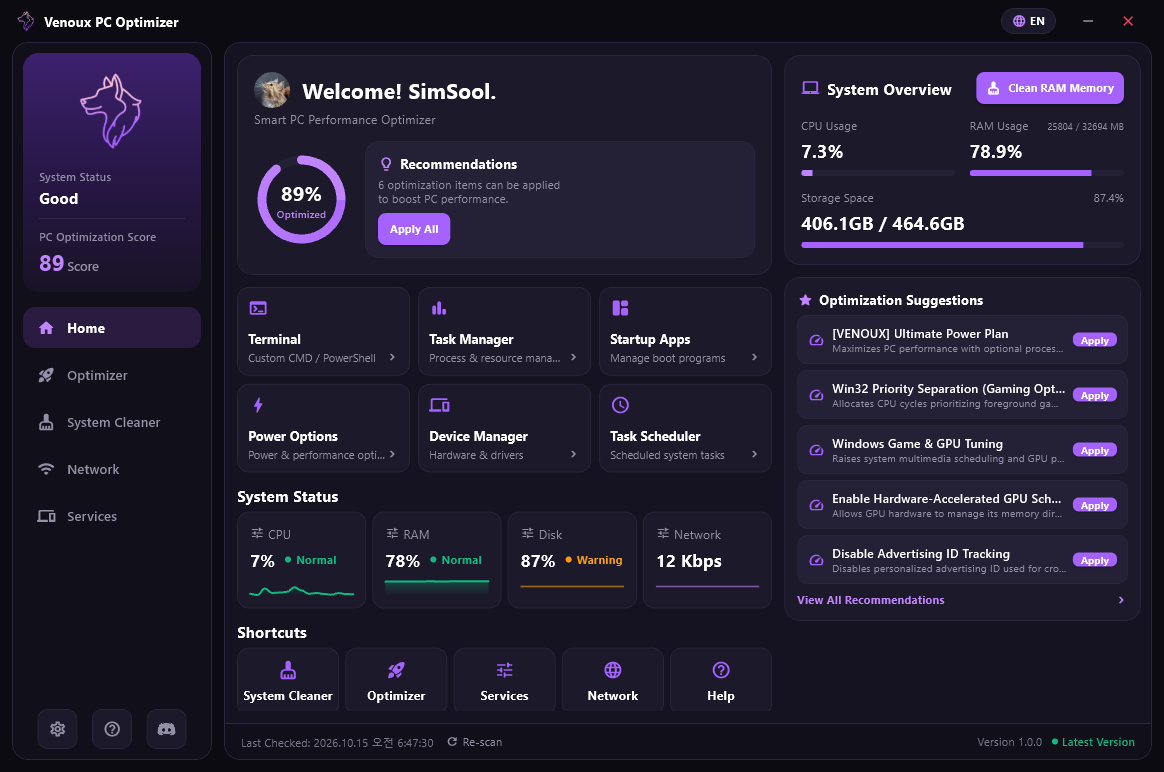
Start with CPU, memory, disk, and network activity, alongside recommended settings on the dashboard.
Keep familiar Windows tools close: Task Manager, startup apps, power options, and more.
FEATURE 01 / SYSTEM TELEMETRY
System Telemetry at a Glance.
Monitor CPU, memory, storage, and GPU health alongside recommended optimizations in real time.
FEATURE 02 / SYSTEM TUNING
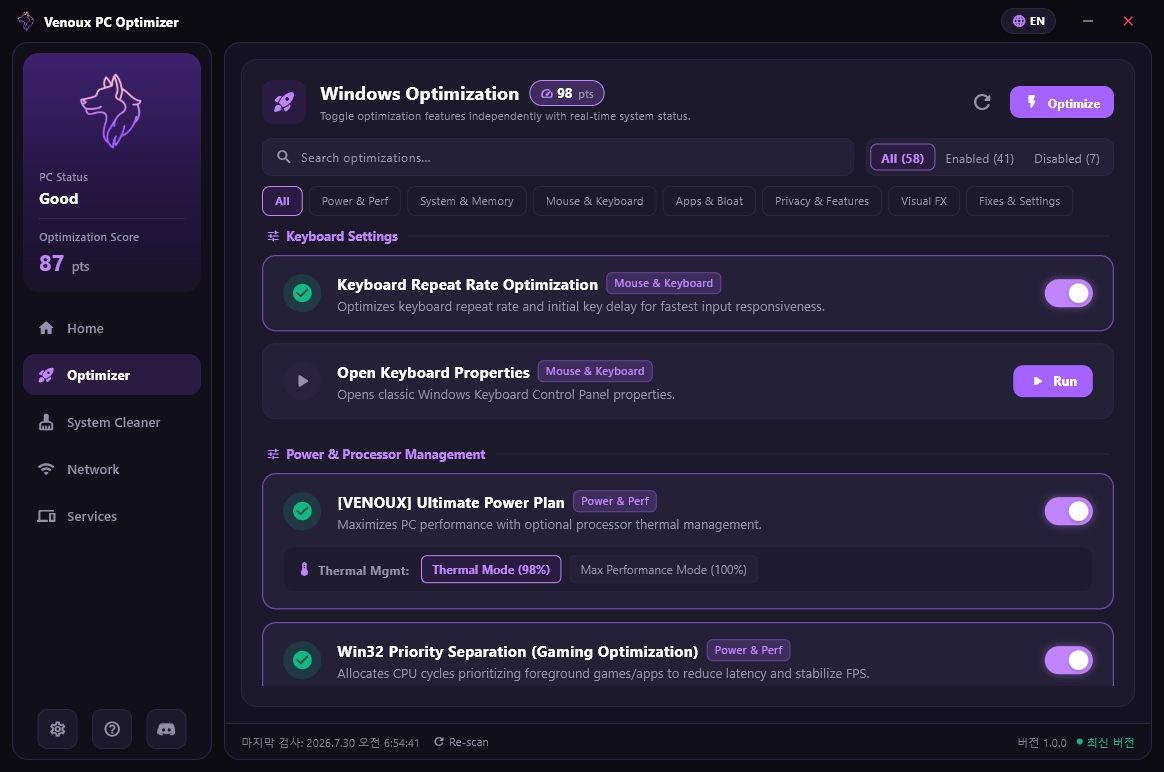
Your settings. Your call.
Power, memory, keyboard, and Windows features. Read what each setting does, check its current state, and choose what to change.
FEATURE 03 / SYSTEM CLEANER
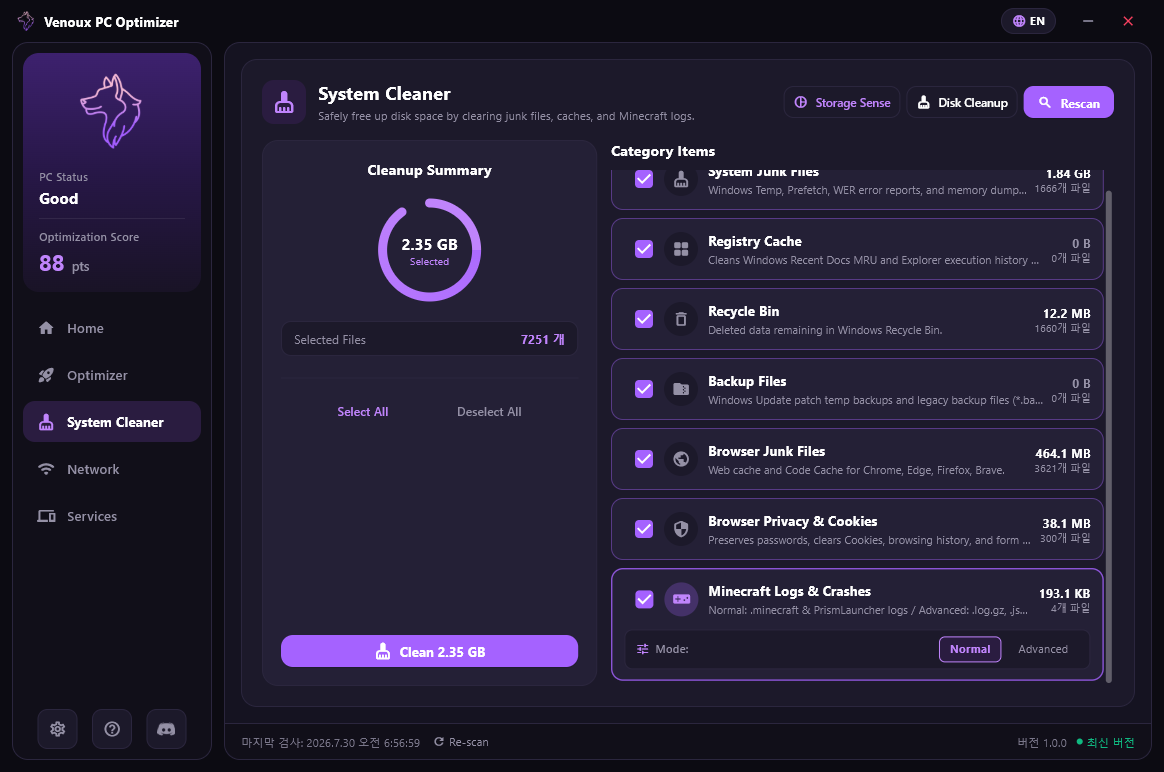
See what takes up space.
Review temporary files, browser caches, and the recycle bin by category. See the selected file count and size before deciding what to clean.
FEATURE 04 / NETWORK STACK
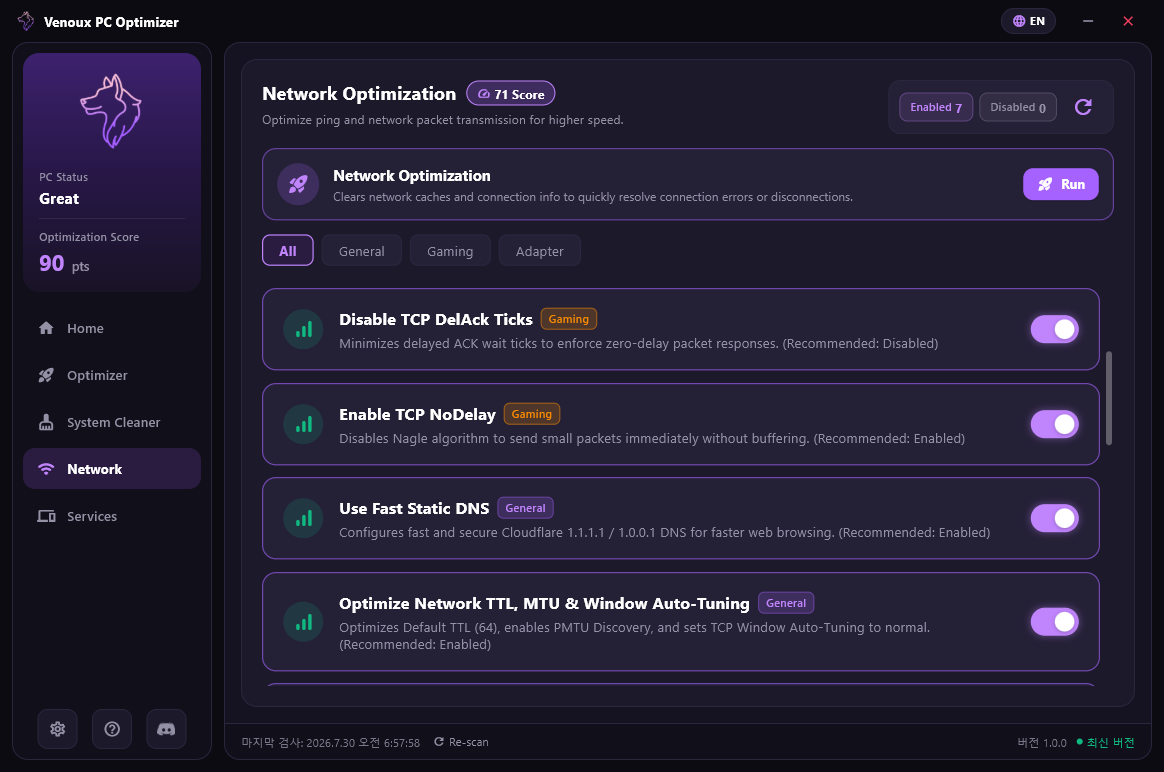
Connection settings, together.
Find DNS, TCP, and adapter settings in one place. Browse General, Gaming, and Adapter categories and review each option individually.
VENOUX / REVIEWS
Positive Community Reviews
Been using this for a couple days now. Really like the dashboard, having CPU, RAM, disk and network info in one place is surprisingly useful.
clean af. that's pretty much it lol
The gaming section is probably my favorite. I used to keep a bunch of Windows tweaks bookmarked because I could never remember where half of the settings were. Having them in one place is way easier.
The cleaner is actually pretty nice. I like that it shows what it's going to remove instead of just giving you some giant "OPTIMIZE" button and doing everything in the background.
I mainly got this for the network settings. Being able to get to DNS and TCP related settings without going through five different Windows menus is exactly what I wanted.
I've tried a few Windows optimizer apps before and most of them feel kinda sketchy. This one feels more like a proper settings utility. You can actually see the individual options instead of just clicking a button and hoping it did something.
VENOUX / LIFETIME
One Purchase. Yours for a Lifetime.
No recurring monthly or annual subscription fees. A single purchase grants permanent access to all core features and ongoing updates.
Lifetime Ownership
Permanent access to all core features without sudden expiration or recurring charges.
Continuous Engine Updates
Ongoing optimization patches and telemetry updates tailored for the latest Windows builds.
Safe, Documentation-Driven Specs
Eliminates unverified registry hacks to preserve system integrity and component health.
Venoux Pro
Full access to telemetry, optimizer, and cleaner
VENOUX / REPUTATION
Experience the Ultimate Optimization Today.
Have questions or need technical support? Join our active SILENCE community.